TIME TRACKING FOR INVOICING PERFECTED
Time Tracking and Invoicing Software Trusted Worldwide
Create accurate client invoices with detailed time logs and keep projects on budget.

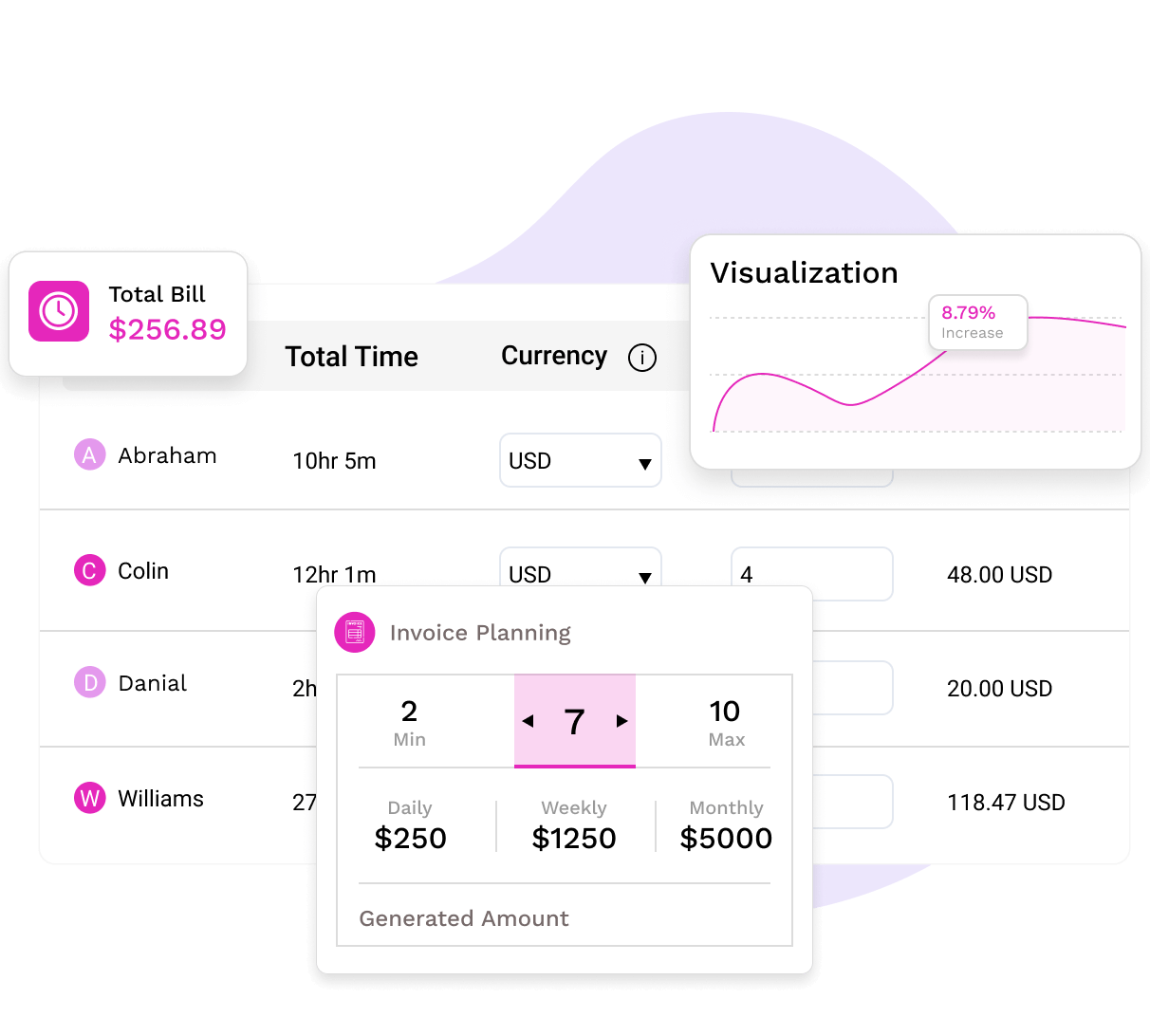
Create accurate client invoices with detailed time logs and keep projects on budget.
TimeBee blends powerful features with the simplicity your workflow needs.

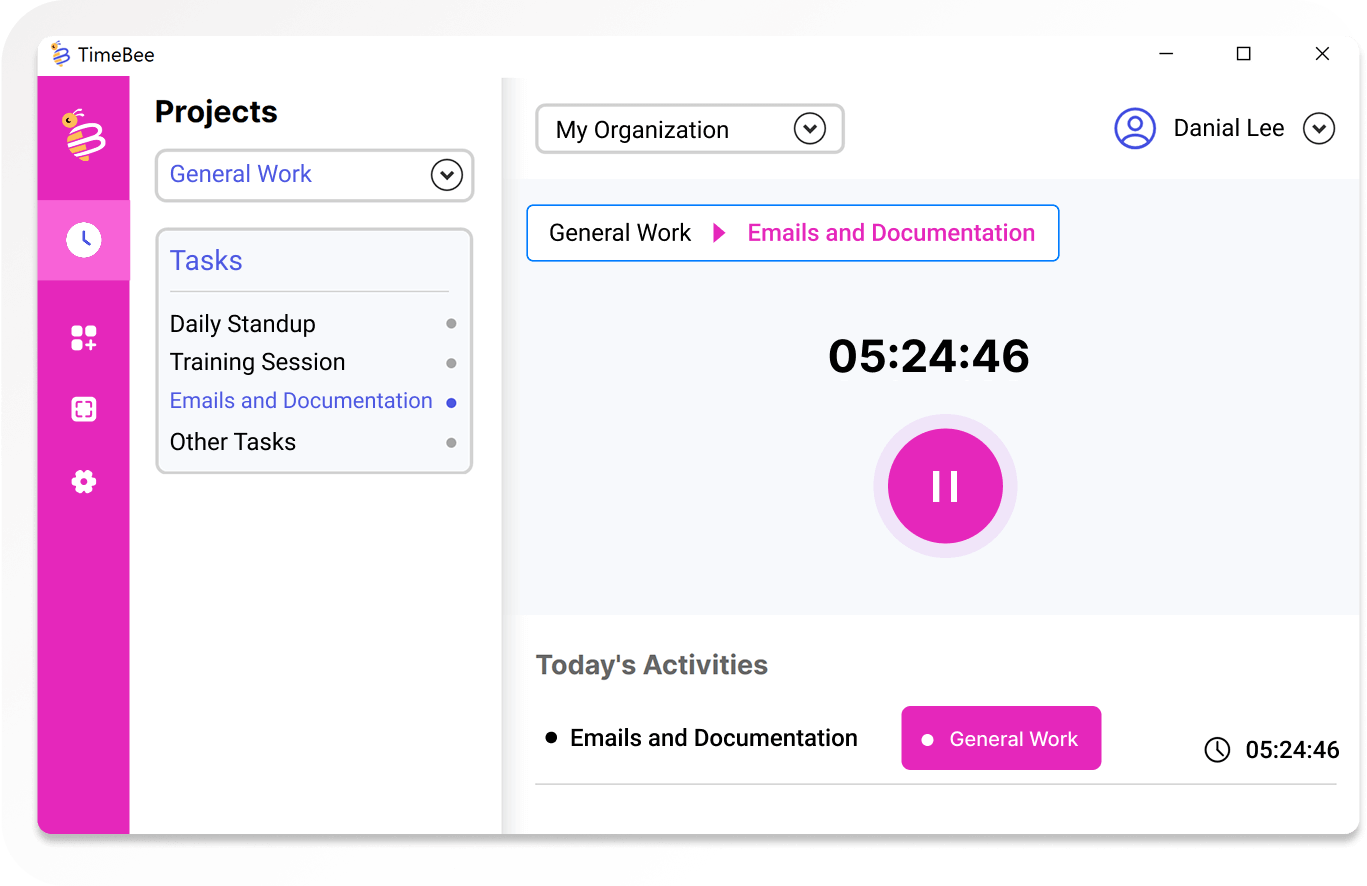
Use our one-click timer to track and invoice billable hours accurately across clients and projects.

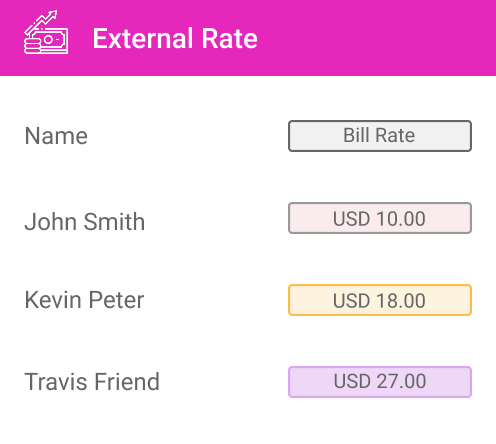
Set custom hourly rates for each employee assigned to a client using the unified dashboard.

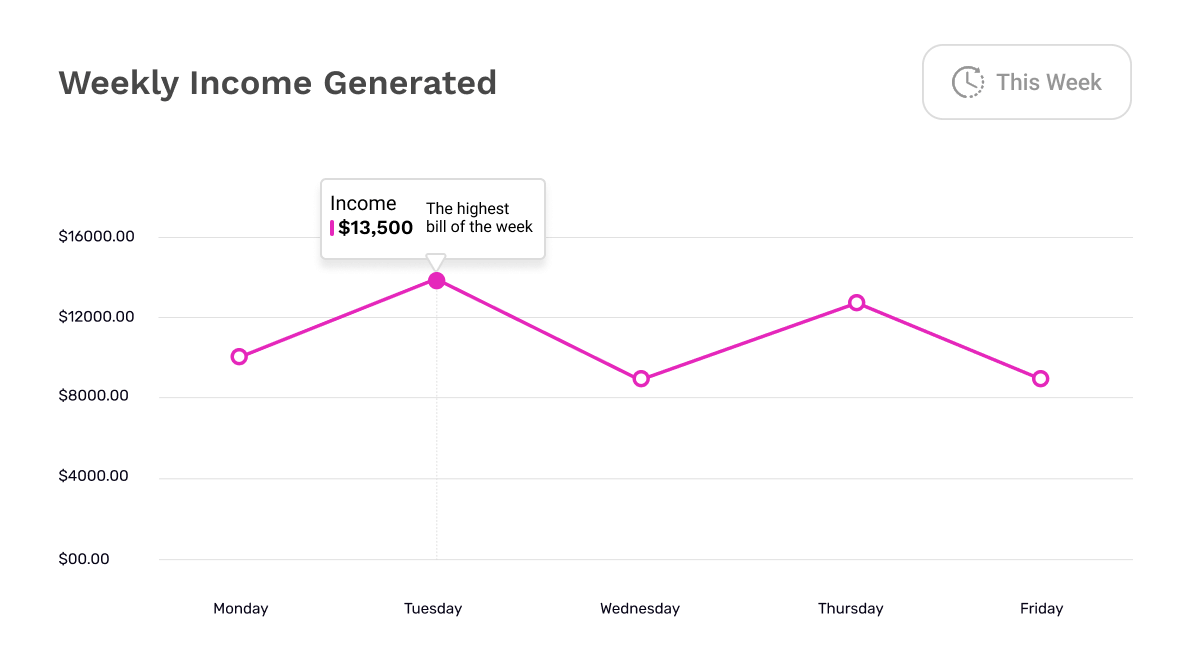
Our time tracking invoice software auto-generates invoices by applying preset rates to tracked hours.
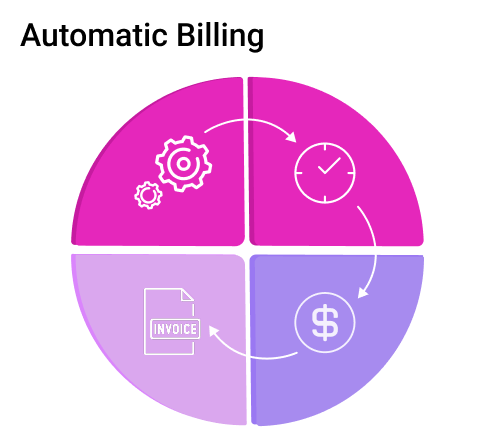
Ditch manual tracking and keep your invoicing accurate down to the last minute.

Our time tracking and invoice software improves cash flow and reduces manual errors with minimal effort.

Connect TimeBee with your invoicing and payment tools in minutes and sync all logged data easily.

Build trust by sharing time logs through a client-facing dashboard on the time tracking invoicing software.

Use TimeBee’s secure system to detect time misuse and protect your clients from invoicing manipulation.

Send professional invoices that reflect your real effort and commitment.
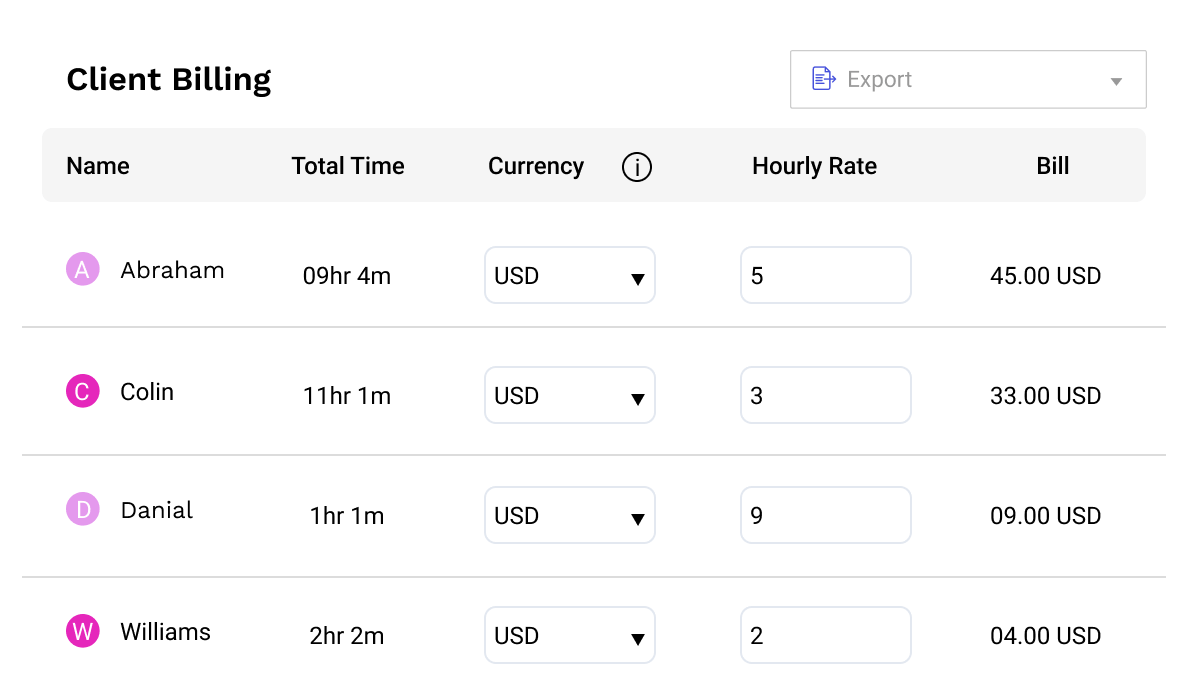
Stop fixing timesheets and start trusting every invoice from the first click.
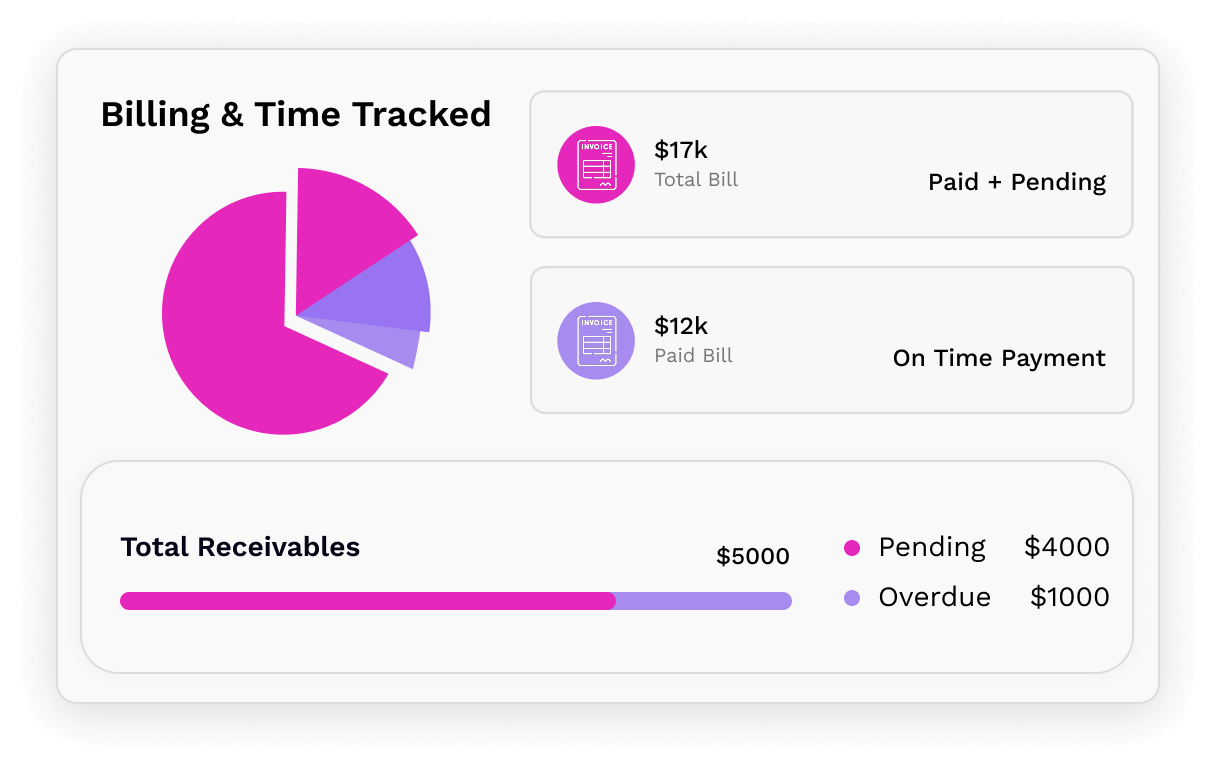

Set currencies like euros, pounds, or dollars for employees in the time tracking and invoicing app.

The payment adjustment option lets you update invoice totals for extra resources or agreed-upon bonuses.

Make time tracking invoicing easier by logging employee hours on external client projects and tasks.

Submit manual time requests directly in the dashboard for any hours that were not tracked in real time.

Organize time tracking for invoicing in the invoice sheet using filters for user, group, or date.

Export tracked time and invoicing details in CSV format from the dashboard and edit them as needed.
Track everything from expenses to profits in one powerful dashboard – no extra tools needed.

Monitor project expenses alongside invoice time tracking to track total costs across teams and clients.

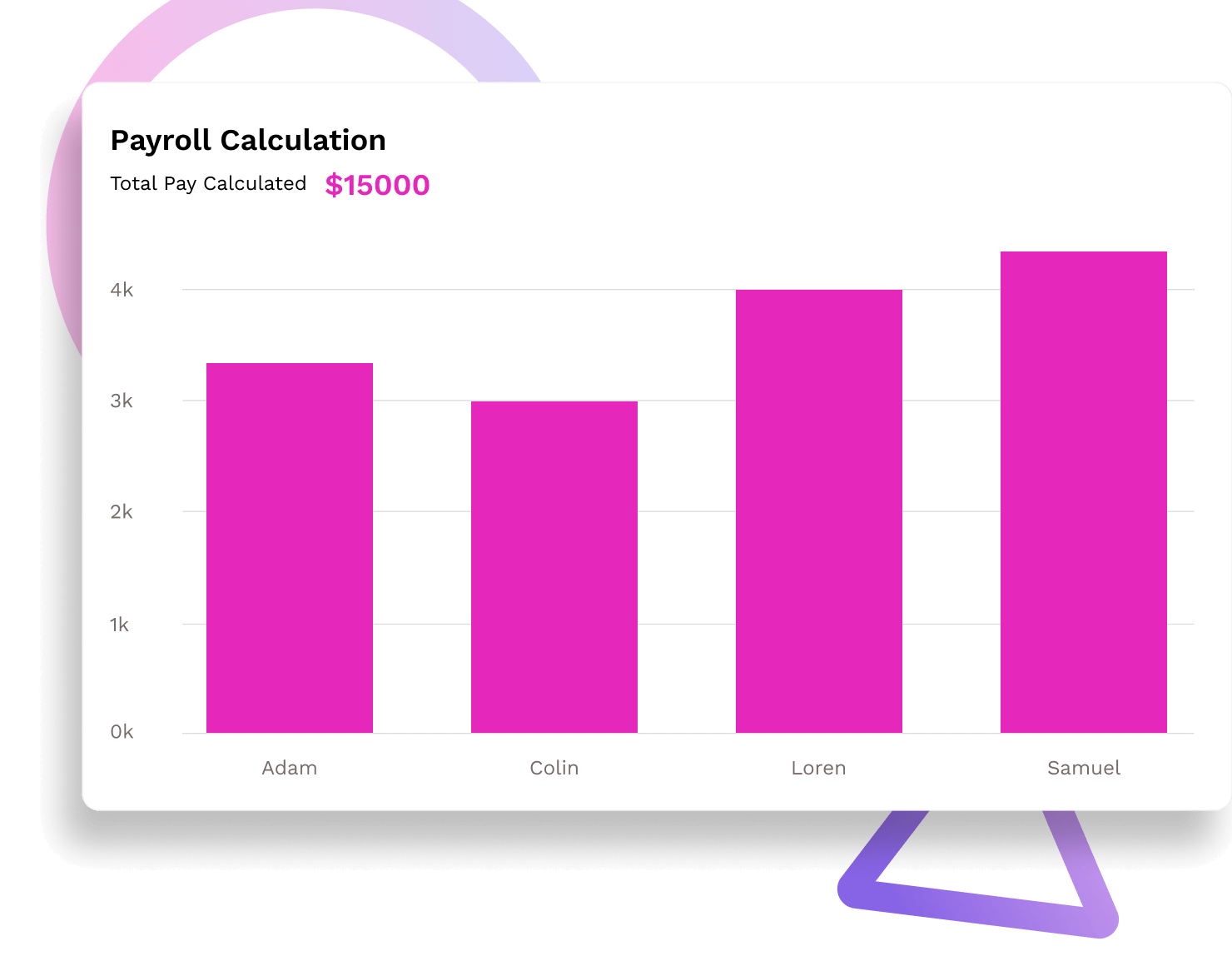
TimeBee goes beyond time tracking and invoicing by calculating payroll accurately using internal hourly rates.

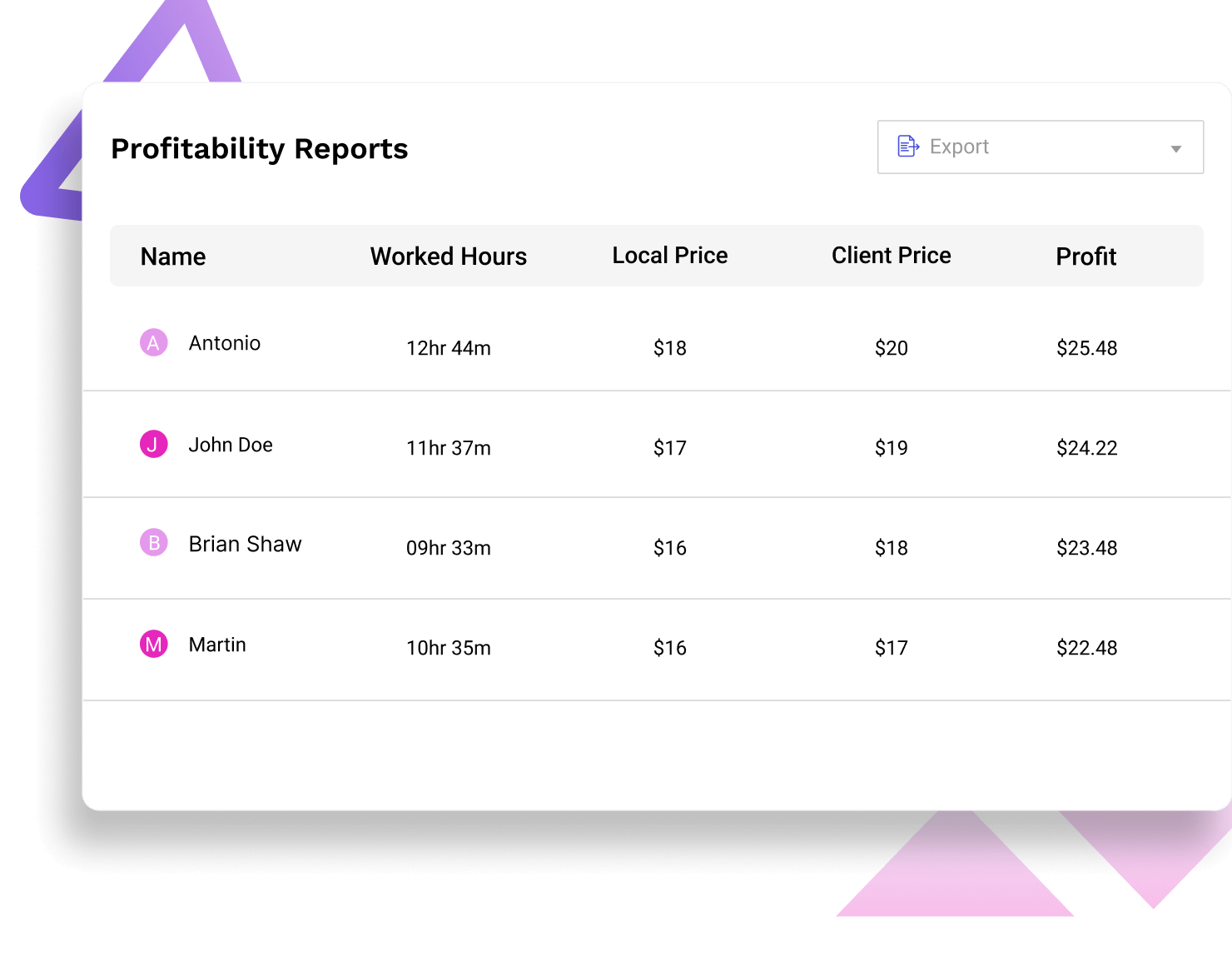
View each employee’s profitability using detailed reports from the invoicing and time tracking software.

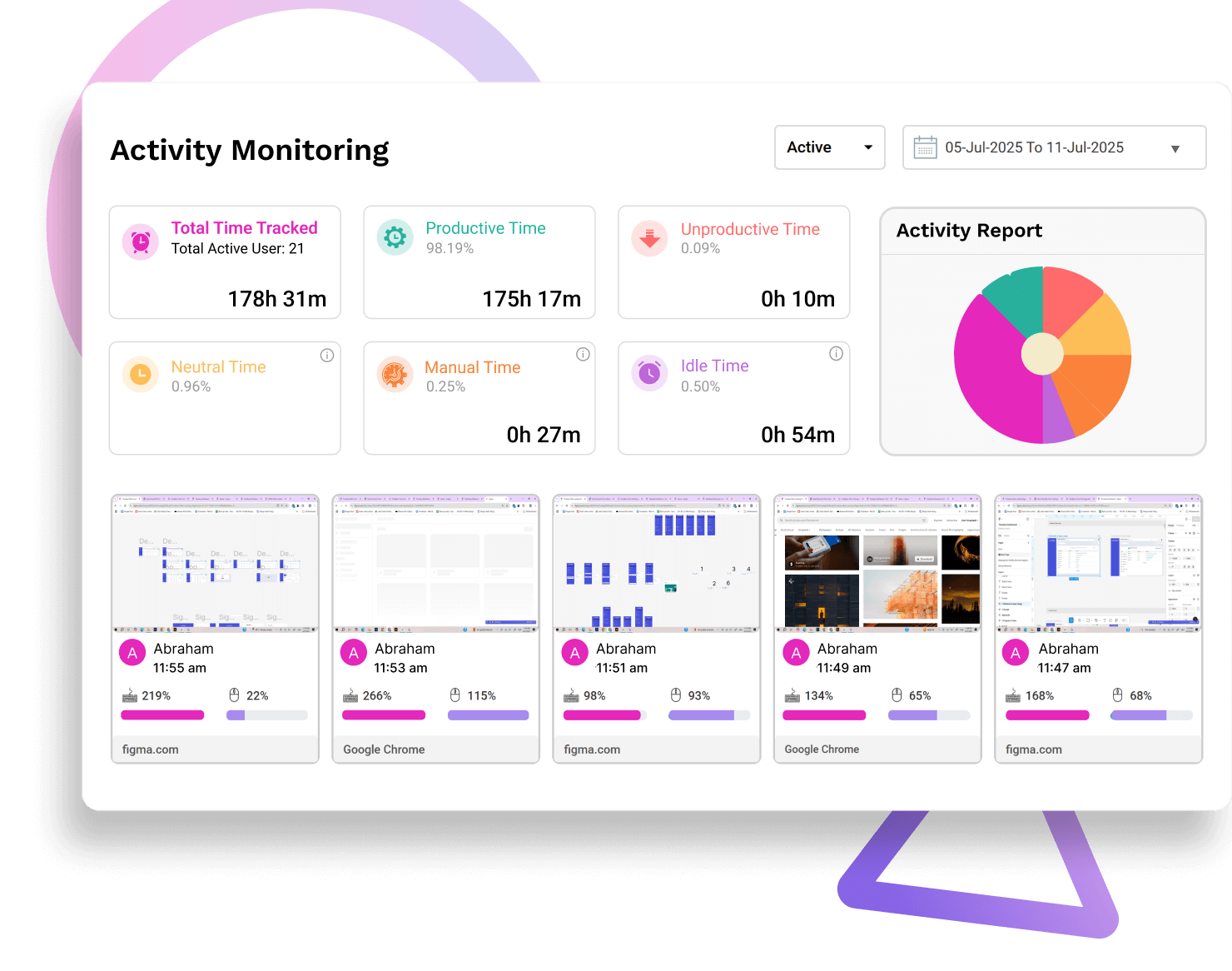
Share employee activity with clients through web and app tracking, screenshots, and productivity stats.
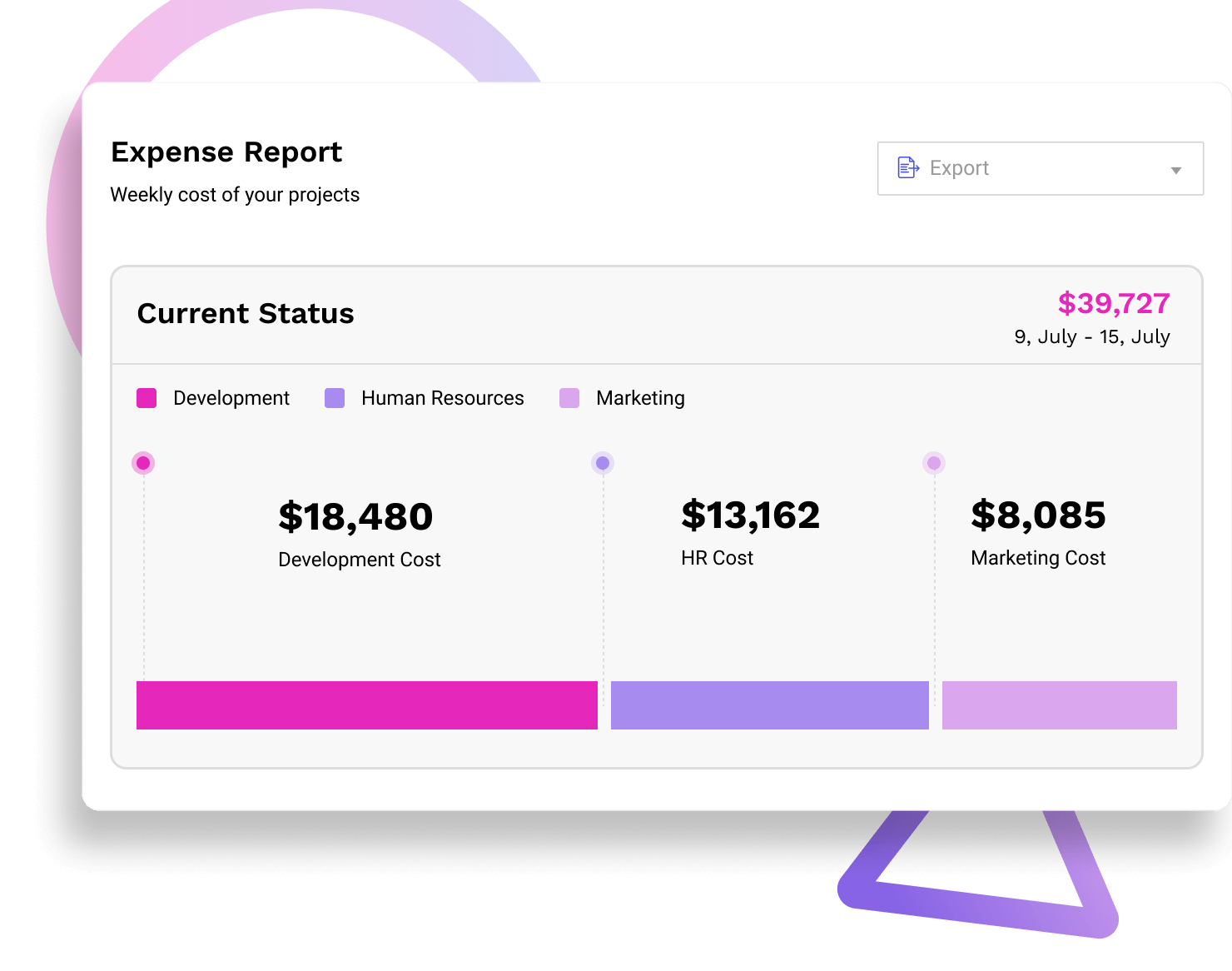
Monitor project expenses alongside invoice time tracking to track total costs across teams and clients.
TimeBee goes beyond time tracking and invoicing by calculating payroll accurately using internal hourly rates.
View each employee’s profitability using detailed reports from the invoicing and time tracking software.
Share employee activity with clients through web and app tracking, screenshots, and productivity stats.
Teams using TimeBee see a 42% increase in employees' productivity within the first 3 months.

Companies recover over 4 hours per employee per month, resulting in a 650% return on investment.
Managers observe a 54% increase in punctuality and fewer late logins after implementing TimeBee.
Time theft drops significantly as employees become more focused and accountable.

To make sure only billable time is added to client invoices, use timesheet and invoicing software with project-based tracking. Employees can log hours under specific client projects and switch to non-billable tasks for internal work. You can also create dedicated client projects, assign team members, and track time for each task. This way, only the hours logged under billable client work are included in invoices, ensuring accuracy and transparency.