
How to Access Billing Details in TimeBee?

The Billing Details section shows your current subscription plan and lets you update it.

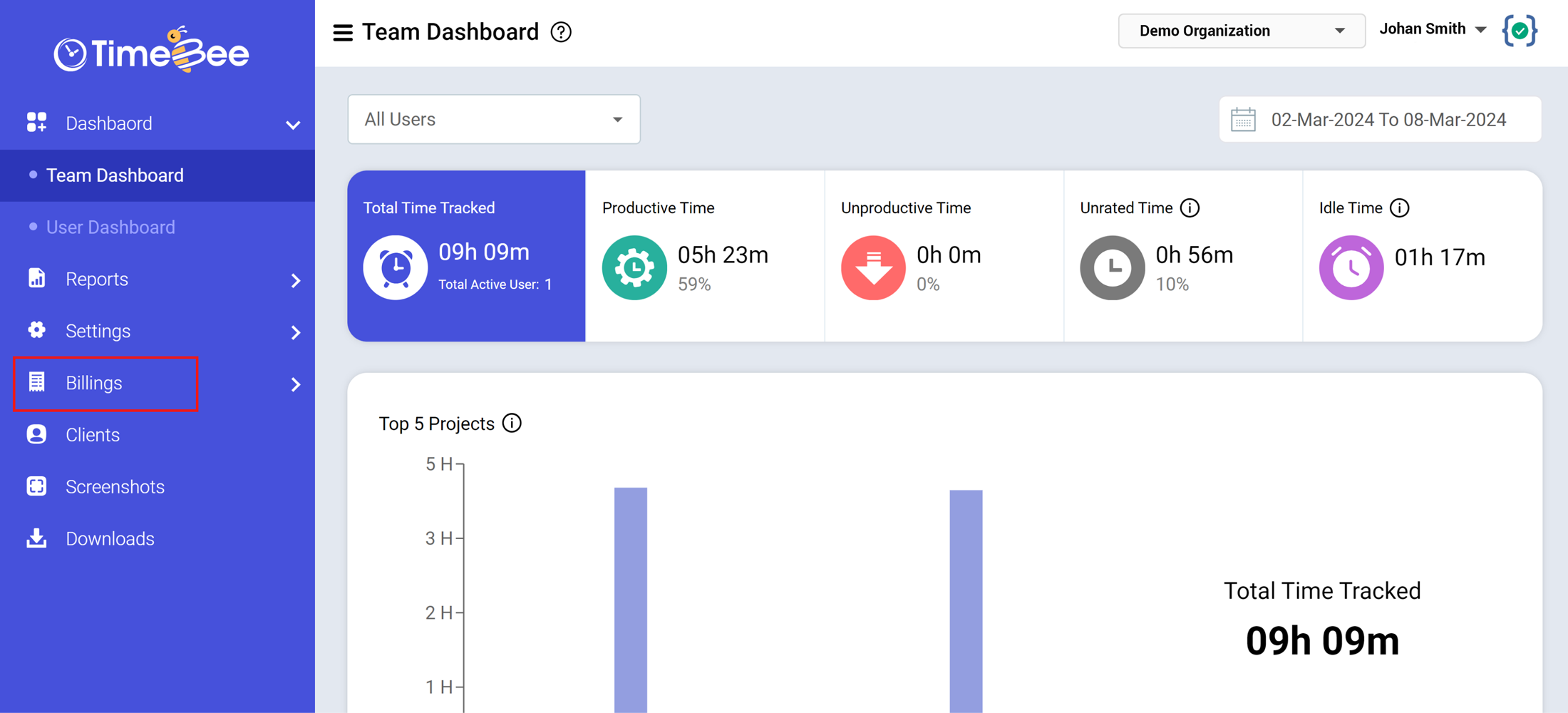
Access dashboard.timebee.app, and from the sidebar, click on the “Billings” button. From the dropdown menu, click on “Billing Details”.
In the billings section, you will see all the necessary billing information under Plan Details:
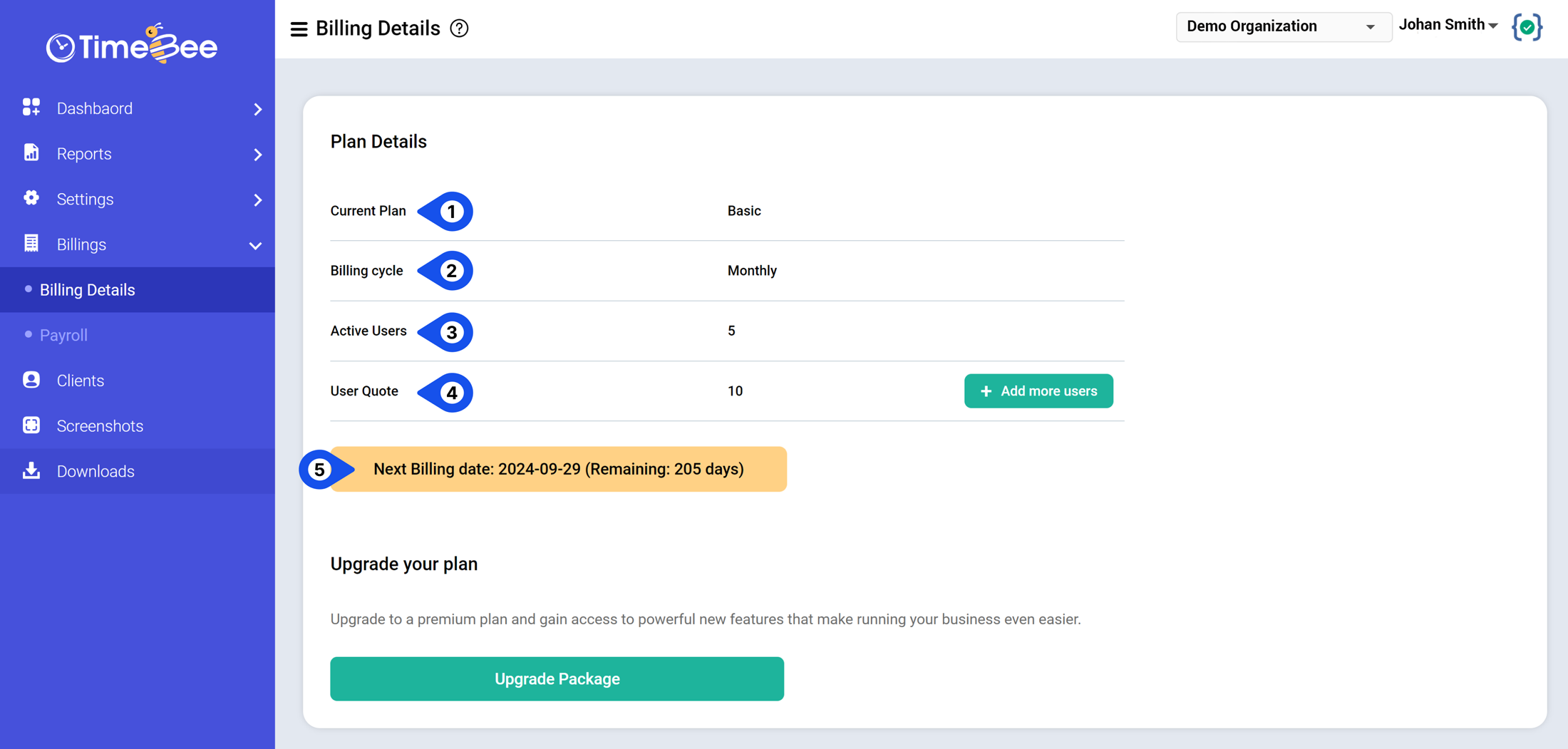
  • Current Plan: Your existing subscription plan.
  • Billing Cycle: How often you will be charged?
  • Active Users: Total number of people from your organization using the app.
  • User Quota: Total number of people allowed by your current plan. Click on the ‘add more users’ button to accommodate additional team members
  • Next Billing Date: The exact date when your next payment is due. It also shows the precise number of days remaining until your subscription expires.

How to Upgrade My TimeBeee Plan?

To customize or upgrade your plan, click on the “Upgrade Package” button. Scrolling down, you’ll see the “Upgrade Details” which is a customization menu for your package. Here, you can edit your current plan or upgrade it to support your business needs:
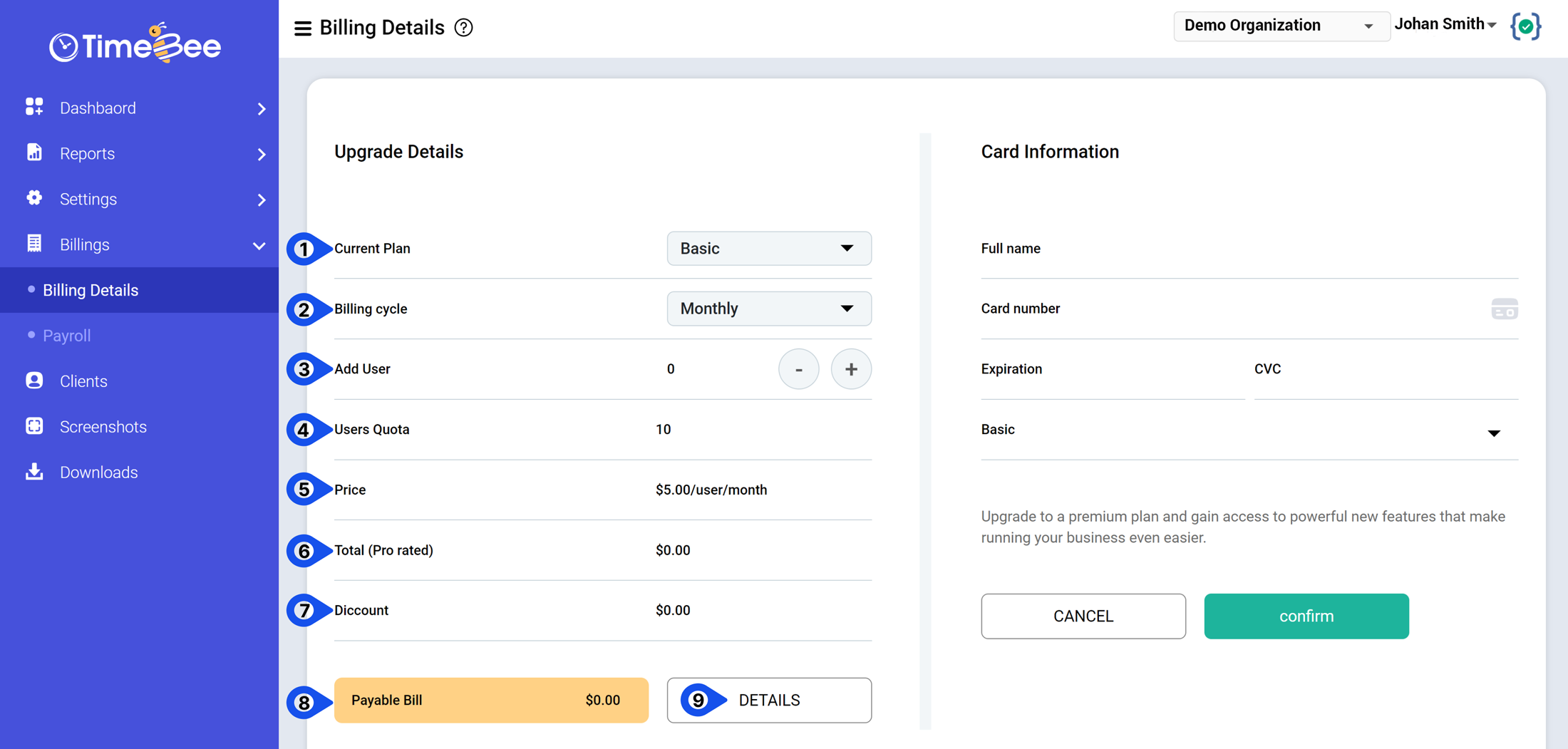
  • Current Plan: Choose between Basic and Premium by clicking on your desired plan.
  • Billing Cycle: Select when you’ll pay: monthly or yearly.
  • Add Users: Add new members that will be using the app. You can add more members by clicking ‘+’, and decrease the number of added users with ‘-’.
  • Users Quota: You can view your total number of app users authorized to use the app.
  • Price: Shows the monthly or annual per-user price of the subscription plan.
  • Total (prorated): Shows the pro-rated charge of the additional user in your existing plan. TimeBee will only charge you for your usage.

For example, if the total payable bill/user/month is $10. If you add new users mid-month, it is unfair for you to pay for the whole period.

TimeBee calculates your charges based on the number of days you’ve used the app i.e. 15 days in this case. So your prorated charge for the additional user will be:

Per user cost = $10

Total number of days = 30

Number of usage days = 15

Per day cost = $10/30= $0.33 per day

Total prorated cost for new user = 15 * $0.33 = $5

  • Discount: Any applicable discounts are to be deducted from the total payable bill.
  • Total Payable Bill: The total amount you’ll pay for customizing your plan or upgrading to Premium.
  • Details: If you want to see your total bill breakdown, click ‘Details’.

How do I Add/Edit My Card Details?

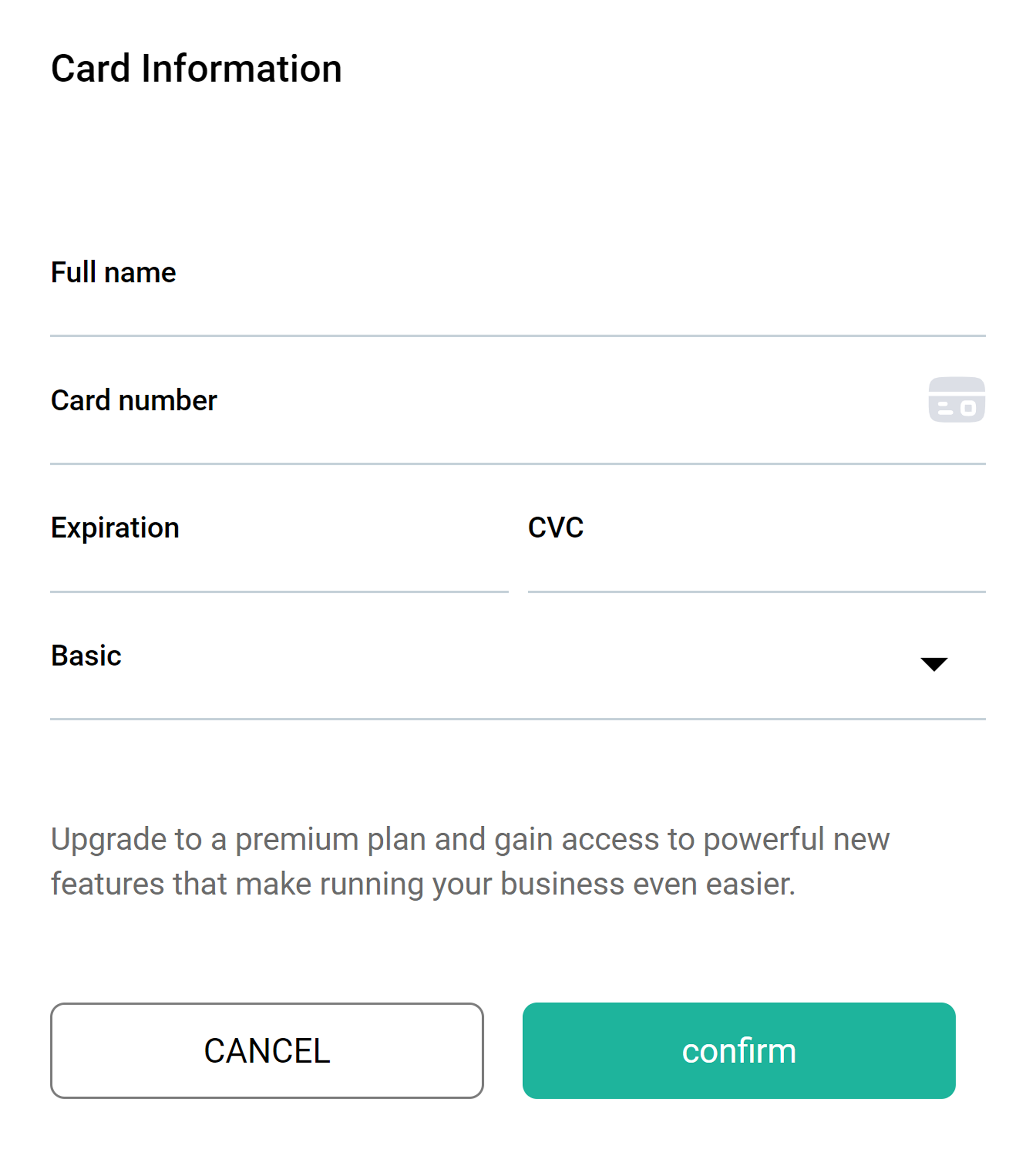
Adjacent to the Upgrade Details, you can view your ‘Card Information’ to add essential payment information. Make sure to enter your card details precisely before clicking ‘Confirm’.
Nothing Comes Free, Right? TimeBee Does!

Try it free for 14 days and see how it can be your savior!

  • home
  • How to Access Billing Details in TimeBee?